
Advertising & creatives
Connect advertising accounts and compare campaign and creative performance.
Connect game advertising
Open Advertising in a game’s menu to retain its heading and tabs with the game pinned. Advertising in the sidebar opens a separate workspace with a game picker. Then select the advertising account.
Work with campaigns and groups
Use the list to find campaigns, open tests and adjust advertising settings.
Group existing campaigns
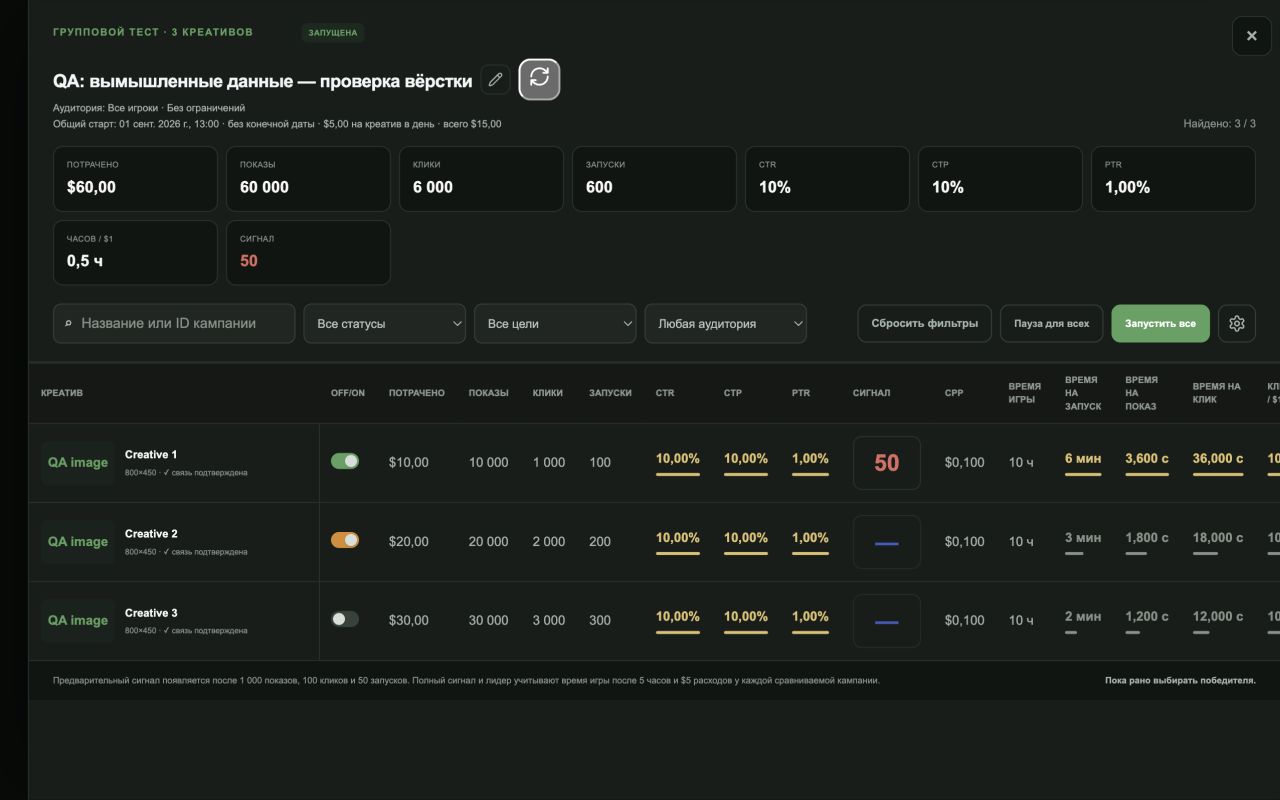
Compare campaigns in a manual group using the same charts and controls as automatic tests.
Compare advertising results
Reports help you see which campaigns bring players and at what cost.
Understand ad comparisons
Compare campaigns within one MARPLA group, and creatives within one campaign.
Manage the creative library
The library helps you store and choose advertising creative variants.
Refresh an advertising report
Refresh updates campaign statuses and metrics.
Launch, evaluate and stop advertising
Run a controlled launch, separate paid traffic from organic traffic, and verify that every campaign has stopped.
Useful articles: examples and decisions
The guide covers the steps in the service. These articles explain the metrics, examples, techniques and how to evaluate results.
Roblox advertising: when to launch, how to target, and when to stop
A practical Roblox advertising guide: objectives, targeting, budgets, organic traffic, and pause decisions. Real interface screenshots and MARPLA workflows.
Read article →
Roblox ad creatives: a testing plan and results review
Test Roblox ad creatives with a hypothesis card, change log, and comparisons of CTR, plays, and spend. Includes a worked example and downloadable template.
Read article →
Section diagram
| Game ↑ | 13.10.2026 | 14.10.2026 | 15.10.2026 | Spend · USD | CTR · % | Playtime · h | Robux | ROI · % |
|---|---|---|---|---|---|---|---|---|
| Game A1234567890ⓘ | $20 | $40 | $10 | $100 | 10% | 6 | 200 | 0.76% |
| Game B2345678901ⓘ | $0 | — | $5 | — | — | — | — | — |
One game per row with its icon. Three days are independent of the period; today is unfinished. A dash means no report; zero is confirmed. Tooltips explain precision and partial coverage. Game information opens sources and report timestamps. Headings sort rows: numbers start descending and names alphabetically; click again to reverse, with unknowns always last.