My games & analytics
Connections, metrics and access to your game.
Quick start
- 1Open My games and add the Universe ID and a Roblox key with the required permissions. Once the first connected game appears, the Connect your game sidebar prompt is hidden automatically.
- 2Select DAU, D1 or revenue to jump directly to the matching chart, or open the dedicated Charts section from the game's action row.
- 3Compare matching ranges and breakdowns; the full metric dictionary is below.
Connections: status and action
The colored indicator on each game card opens key settings if your role can manage integrations. Green means all current modules have required grants, the key has been checked and there are no known access failures. Yellow means missing permissions, an outdated check or temporary Roblox unavailability. Red means Roblox rejected connected access. Hover for the color meaning; the indicator also has a screen-reader label. Role-based access does not imply anything about the owner's key. Paste the key at the top and choose Apply key. Each module below has its own card with Granted, Add, Check or Unavailable statuses. Expand API names and setup steps below. You can check a saved key without entering it again; repeat checks within a minute reuse the saved result. Status is stored on the server, not just in this browser; after a day without verification, green changes to yellow. Verification does not create test ads, upload images or edit products: write access and access to each specific resource are finally checked when you perform an action.
One key: all current modules
In Creator Dashboard → Credentials → API Keys, create MARPLA or edit an existing key. Under Access Permissions add the APIs below; select the experience's Universe ID for experience-scoped grants. For Assets select the account or group owning the creatives. Enable the key, save and paste it into MARPLA. You can copy the entire checklist. The first connection requires universe.analytics:read to confirm experience access; other scopes can be added later. Current modules use one saved key. Read only removes write scopes from the checklist; it does not revoke existing Roblox key grants.
- Analytics & reports · available
DAU, retention, revenue, acquisition and investor reports.
Selected experience (Universe ID)
Readuniverse.analytics:read- Game events · available
Roblox event calendar; create and edit titles, descriptions, schedules, venues and visibility.
Selected experience (Universe ID)
Read
Writeuniverse.event:readuniverse.event:write- Advertising campaigns · available
View campaigns and billing accounts; create, rename, start and stop advertising.
Key owner's advertising account
Read
Writead.campaign:read · ad.billing:readad.campaign:write- Creative uploads · available
Upload images to Roblox and retrieve asset IDs and moderation status.
Assets: account or group owning the images
Read
Writeasset:readasset:write- Passes · available
Pass catalog; confirmed changes to names, descriptions, prices and sale availability.
Selected experience (Universe ID)
Read
Writegame-pass:readgame-pass:write- Developer products · available
Repeat-purchase catalog; edit names, descriptions, prices and supported sale settings.
Selected experience (Universe ID)
Read
Writedeveloper-product:readdeveloper-product:write
Checked against Roblox documentation: 2026-08-31. API keys ↗ Advertising ↗ Assets ↗ Game events ↗ OpenAPI · scopes ↗
Limits & secure setup
The experience owner or a group member with appropriate permissions creates the key. A key does not combine privileges from different accounts: advertising needs the same key owner's access to the ad account and experience; Assets needs access to the selected creator. Limit grants to the relevant experience and group. IP restrictions must match MARPLA server egress, not your computer's address; cloud hosting has no promised fixed egress IP. Check expiry and Enabled. The secret is encrypted on the server and is excluded from URLs, instructions and verification results. Roblox grants and MARPLA roles are independent: a key alone does not authorize a service member to edit prices or advertising.
If permissions are missing
After saving, MARPLA shows the key's declared grants, not a guarantee that every operation will succeed. Write access is checked on your action; no test campaigns, purchases or uploads are created for verification. For 401 check the key, enablement and expiry. For 403 check the named scope and resource access. Rate limits (429) and outages do not call for additional grants. Analytics, advertising, creatives and the product catalog link to the shared key setup for the relevant module. Add the specific grant in Roblox and save the same key again in MARPLA; use the new secret if Roblox issued one. History is retained.
Other Roblox capabilities · not in MARPLA yet
These are possible future integrations, not working MARPLA features. These scopes are excluded from initial setup. Add them only alongside the relevant interface and action controls.
- Experience configuration & A/B tests · not implemented
Read and publish configurations and manage Roblox experiments. No MARPLA interface yet; writes affect the live experience.universe:read · universe:write- Server management · not implemented
Server lists, logs and restarts. Not implemented in MARPLA; restarts affect players.universe:read · universe:write- Commands to live servers · not implemented
Deliver messages through MessagingService. Not implemented in MARPLA; requires an in-game handler.universe-messaging-service:publish- Player-save auditing · not implemented
Read selected experience DataStores. Not implemented in MARPLA. Save writes and deletes are excluded and are not needed for analytics.universe-datastores.control:list · universe-datastores.objects:list · universe-datastores.objects:read- Player moderation · not implemented
Read and change player restrictions. Not implemented in MARPLA; writes can change bans.universe.user-restriction:read · universe.user-restriction:write- Subscription verification · not implemented
Look up a specific subscription by ID; the method's specification requires both permissions. No MARPLA interface yet; this is not a complete transaction ledger.universe.subscription-product.subscription:read · universe:write
What another Roblox key cannot unlock
- Public data & contacts · available
- Current players, the public catalog and monitoring do not require a personal Roblox API key. Discord contact fields, invitations and investor links use MARPLA permissions, not Roblox scopes.
- P50/P90 & history
- Exact daily Creator Dashboard ranges are requested and stored separately from game metrics. Roblox may deny the benchmark endpoint to a regular API key; MARPLA then shows the latest finalized game metric without a stale gauge instead of mixing it with an old P50/P90 snapshot. A new key cannot create pre-connection data, immature cohorts or a complete purchase ledger.
- SDK · available
- Extra events require the SDK and a separate MARPLA secret in server-side game code. This is not an additional Roblox Open Cloud scope.
- Roblox OAuth · shared account
- Sign-in and profile use one Roblox consent flow. By default it requests permissions for current modules: analytics, ads, Assets, passes and products. Advertising reuses the integration owner’s account analytics grant. Game API keys still power background collection and other Open Cloud operations; OAuth does not replace per-Universe or advertising-account authorization. The MARPLA administrator configures the client secret.
- Discord / Telegram / AI · coming soon
- Preview interfaces exist. Real delivery and chats will need separate bot or webhook connections with minimal permissions; AI needs a server-side provider. Never paste those secrets into the Roblox API Key field.
- Developer support · links available
- External payment links and Roblox pass-purchase links are available. MARPLA does not implement payment processing, automatic donation verification or direct Robux transfers; Analytics and Products scopes do not provide those features.
Game cards, chats & current players
Each connected game has its own card with connection status, current players, DAU, D1 retention and revenue with a large light Robux symbol. The artwork and title open All analytics; the three KPIs are links too: DAU opens engagement, D1 opens retention and revenue opens monetization. If the game is published on the marketplace, the card shows the seller's price, offered share and a Buy button that opens that exact listing. Actions are ordered as all analytics, advertising, payments, events, charts, investor analytics, access, chats and contacts. Teammate invitations live inside Access. Replace key, SDK and disconnect are grouped under the final gear button. The red Chats badge shows the number of authors with unread messages for that game and updates immediately through a protected event stream. The Current players block appears both on the card and in the analytics header. Select it to open player history. Player counts are rounded to whole people; zero means no players and a dash means data has not been received yet.
Roblox Charts rank history
Every non-empty Roblox Chart is paged through to the end. Ordered membership is saved every 15 minutes UTC. Select Charts on your own game card to open a dedicated view of current ranks and 30-day history. Fresh data requests a complete snapshot now and then checks that exact game again. If the game is absent from every retrieved chart, MARPLA explicitly shows the number of charts checked and the snapshot time; no rank is invented. Select a chart chip to switch the plot; lower ranks plot higher. The chart displays hourly averages of real snapshots, retains the original 15-minute ranks in the database and leaves gaps unfilled. History starts when MARPLA begins observing and is not reconstructed retroactively.
Connection & availability
Enter keys only in the protected connection form, never in contact fields or Discord. Analytics requires universe.analytics:read for the selected game. For 401/403 check key and permissions; 429 indicates rate limiting. Repeated clicks do not make data arrive sooner. Stored values remain available during source failures. Historical days, breakdowns and individual metrics may arrive late; D30 needs a mature cohort.
Six primary benchmarks
The Benchmarks tab starts with six comparable cards: average playtime, D1 retention, D7 retention, payer conversion, average revenue per paying user and Home recommendation play-through rate. One Daily / 7-day average switch updates the window for every card. A calendar with arrows sits beside it: Daily shows one selected date, while the seven-day mode shows the exact rolling seven-day range. Each arrow shifts the end date by exactly one day, and all six cards move to that date or range together. A neighbouring day's value is never substituted: when Roblox has not returned the metric or exact scorecard for the selected date, the card honestly remains without a value or gauge. Analytics Query API ratios are normalized to percentages only for percentage metrics. Each card opens the corresponding chart in the correct analytics section. ARPPU uses the hexagonal Robux symbol.
Retention: chart order and benchmarks
The section starts with the new-user first-session retention curve styled after Creator Dashboard: the large value is the share still playing after five minutes, while the curve runs from 100% at launch through minute 30. MARPLA requests the official TotalSessionsEndedInBucket metric broken down by SessionTimeBucket, keeps only the newest snapshot for each bucket, and cumulatively subtracts ended sessions; smoothing changes only the line between confirmed points, never the values themselves. Average playtime and Average session time follow. Both daily charts render a gray band only from stored exact Roblox P50–P90 boundaries for the comparable population; MARPLA neither substitutes an estimated range nor bridges missing benchmark points. D1, D7 and D30 retention and the remaining return metrics follow. If Roblox has not returned the buckets or benchmark yet, the interface shows missing data instead of a fabricated line.
Demographics: shared snapshot and chart
Internal analytics and investor analytics use the same demographics block. Countries, Gender, Age, Platform and OS tabs come first, followed immediately by the selected dimension's history chart and then the latest daily MAU snapshot table. In internal analytics, the milestones list follows the table. On the country chart, the total of all returned countries and the ten largest countries are enabled by default; every line can be disabled. Other countries start disabled inside an expandable group where they can be enabled or disabled together or individually. Countries use a flag and their full name. Values from different dates are never added, missing points are not replaced with zeros, and Region is omitted because the documented Analytics Query API does not return it as a separate dimension.
Analytics topics
Benchmarks, engagement, demographics, retention, monetization, hourly revenue, Creator Rewards, acquisition, thumbnails, funnels, events, economy, safety and performance. A detailed retention metric also shows separate D1, D7, D30 and Stickiness (DAU/MAU) charts together, so return and audience regularity can be reviewed in one section. Chart availability depends on Roblox data and permissions, not merely a metric name. The dictionary below uses the same catalog as the interface.
Acquisition: sources and funnel charts
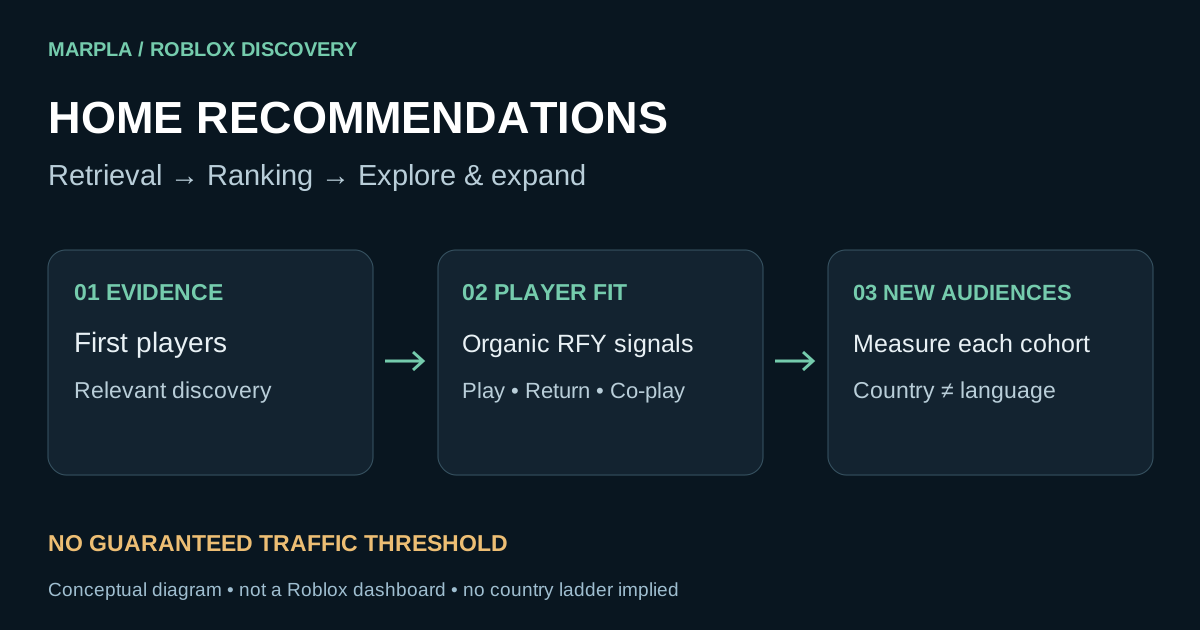
The source comparison plots ads, Home recommendations and other traffic separately, while Combined sources adds their values at each shared timestamp. On the Home Recommendations page, the first two cards show the actual number of unique users who saw the game on Home and the number who started playing after that recommendation; each opens its own chart. Play-through rate and every Roblox signal then follow directly without an extra information banner: first-play bounce, play days and playtime, intentional co-play, qualified sessions, spend days and Robux spent per user. Cohort signals keep separate D8–D28, D2–D7 and D1 lines; bounce rate uses under-60-second and 61–180-second segments. Select a card to open one matching chart directly below the grid. Metrics not yet exported by the official Analytics Query API receive a complete chart and legend, but no fabricated points until an official source becomes available.
Revenue cards
A detailed revenue chart uses one consistent layout for the current point, average revenue and the total for the selected range. The current-point card shows its actual date directly, without a Latest value label. Every monetary value uses a large, light hexagonal Robux symbol and a large amount. The coloured percentage trend sits on the same line as the current amount; no separate second amount from the prior period is displayed. Average and range-total cards show the actual Europe/Lisbon date range below their titles.
Milestones directly on a chart
Add milestone in the list header creates a record manually. To tie it to an observation exactly, click the chart point itself or its small hit area: clicks between points create nothing, while MARPLA carries the selected observation's exact date and time into the form. Choose a type, enter a title, and optionally add a description or images. Hovering the yellow dot on a milestone line shows the full title, description, type, and time without truncation; the word “Manual” and a separate editing hint are not displayed. Clicking a manual milestone still opens it for editing. Save remains visible and turns green only after required fields are complete or an existing milestone has actually changed. A manual milestone can also be edited or deleted in the table; open charts refresh their markers immediately after saving.
Extended SDK
The SDK is configured separately inside the game for additional events. Installation requires game-code changes. Do not publish its SDK secret. An empty event chart is not a zero: first check whether events are being sent.
Internal analytics header & sync
The internal analytics header keeps the game and the whole-number Playing now block, with no separate CSV button. A square icon-only sync button sits at the right of the current section title row. It refreshes that section in the background, preserves the selected range and keeps loaded charts visible; the icon spins during the request and repeat clicks are disabled.
Products, categories & saved snapshots
The Product sales chart uses official daily Roblox values: Robux received and Units sold switch independently, and units are never derived from price. In the selected-day block, the calendar and arrows move by exactly one day; the table honestly leaves a dash when Roblox has no value for that day. The Categories button scrolls to a separate daily revenue chart by product type. Saved snapshots use the same day picker, and cards show only the selected day's values plus comparison with the previous stored snapshot.
Metric dictionary
Names and definitions come from this MARPLA version's analytics catalog.
Overview Benchmarks (Daily)
- DAU
- Unique players for the day.
- MAU
- Unique players in the last 30 days.
- Average session
- The average length of one entry into the game.
- Total game time
- Total playing time per day.
- D1 retention
- The percentage of new players returning the next day.
- D7 retention
- Proportion of new players returning after seven days
- D30 retention
- Proportion of new players returning after thirty days
- Daily revenue
- Robux, earned by the game in a day.
- Average revenue per active player (ARPDAU)
- Average revenue per active player.
- Average revenue per paying player (ARPPU)
- Average revenue per paying player.
- Payer conversion rate
- The percentage of active players who have made a purchase.
- Home recommendation play-through rate
- The share of Home Recommendations shows that ended with the launch of the game.
Engagement
- DAU
- Unique players for the day.
- MAU
- Unique players in the last 30 days.
- Sessions
- Number of gaming sessions.
- Playtime per player
- Average playing time per active player.
- Average session
- Average duration of one session.
- General time
- Total player time in the game.
- DAU/MAU returns
- How often do monthly audiences play every day?
- New and returning
- Divide the DAU into new and repeat players.
- Time for new and returning
- The average playing time of new and repeat players.
- Session of new and returning
- Average session of new and repeat players.
- Devices
- Active platform players.
Demographics & devices
- Age · % MAU
- Monthly audience by Roblox age group.
- Gender % MAU
- Monthly audience by available Roblox gender categories.
- Countries · % MAU
- Countries with the largest monthly audience.
- Languages % MAU
- Ten main languages of the monthly audience.
- Platform · % MAU
- Phone, tablet, computer, console and VR.
- Operating system · % MAU
- Monthly audience for operating systems.
- Server frame rate
- The average server frame rate of the game server.
- Server frame rate by Place
- The average server frame rate of each place within the experience.
- Server frame rate · P10
- 10 Roblox percentile for this game and the same breakdown. Not a benchmark of similar games.
- Server frame rate · P50
- 50 Roblox percentile for this game and the same breakdown. Not a benchmark of similar games.
- Server frame rate · P90
- 90 Roblox percentile for this game and the same breakdown. Not a benchmark of similar games.
- Server frame rate by Place · P10
- 10 Roblox percentile for this game and the same breakdown. Not a benchmark of similar games.
- Server frame rate by Place · P50
- 50 Roblox percentile for this game and the same breakdown. Not a benchmark of similar games.
- Server frame rate by Place · P90
- 90 Roblox percentile for this game and the same breakdown. Not a benchmark of similar games.
Retention
- New user first-session retention
- The percentage of new players still playing at each minute after their first launch.
- Average playtime
- Average playtime per active player. The gray band shows Roblox's exact P50–P90 range for comparable successful games.
- Average session time
- Average duration of one play session. The gray band shows Roblox's exact P50–P90 range for comparable successful games.
- D1 retention
- We came back the next day.
- D7 retention
- We came back in seven days.
- D30 retention
- We were back in thirty days.
- DAU / MAU
- Percentage of monthly audience active daily.
- Daytime cohorts
- Return each day cohort days after the first visit.
- Weekly cohorts
- Return of weekly cohorts weeks after the first visit.
- D1 by source
- Retain players from different engagement channels.
- D7 by source
- Seven-day retention of players from different engagement channels.
- D30 by source
- Thirty-day retention of players from different engagement channels.
- D1 by platform
- Retention on computers, phones, tablets and consoles.
- D7 by platform
- Seven-day hold on platforms.
- D30 by platform
- Thirty-day hold on platforms.
Monetization
- Revenue
- Robux, earned by the game.
- Average revenue per active player (ARPDAU)
- Average revenue per active player.
- Average revenue per paying player (ARPPU)
- Average revenue per paying player.
- Paying players
- Unique players who have made a purchase.
- Payer conversion rate
- The share of the DAU that made the purchase.
- Sources of revenue
- Revenue by type of monetization.
- Balance type
- Revenue from purchased and earned Robux.
- Robux received by product
- Daily revenue for each product and developer product.
- Units purchased
- Official daily sales count for each Roblox product.
- Product categories
- Revenue from developer products, passes, subscriptions and other types of products.
Hourly Revenue
- Hourly revenue
- Robux sales every hour.
- Income on goods
- Revenue of each product and developer product.
- Income by category n
- Revenue by Roblox product types.
- Income at the place of sale
- Where the purchase was made inside the Experience.
Creator Rewards
Acquisition
- Users with Home recommendation impressions
- Number of unique users to whom Roblox showed the game in Home recommendations.
- Users who played from Home recommendations
- Number of unique users who started playing after a Home recommendation.
- Home recommendation play-through rate
- Share of impressions in Home recommendations that ended with the launch of the game.
- Qualified Home conversion
- The share of Home shows that ended with a high-quality game session.
- Deep home involvement
- Proportion of recommended players who have achieved deep engagement.
- Players reached
- Unique users who saw the game card.
- Open the card.
- Unique users who opened the game page.
- Start playing.
- Unique users who launched the game.
- Quality games
- Players who have reached the threshold of a quality gaming session.
- CTR display
- Conversion of the display to the opening of the game page.
- Card conversion
- Conversion of the game page to launch.
- Play rate
- Conversion of the display to the launch of the game.
- Qualified play conversion
- Converting the display into a quality game.
- Shows by source
- Shows of the game through engagement channels.
- Clicks on sources
- Open the game page through the attraction channels.
- Players by source
- Run from Home, Search, Sponsored Ads and other channels.
- Quality of sources
- High-quality gaming sessions through engagement channels.
- In-game ad impressions
- Shows of advertising formats placed inside your game.
- In-game advertising revenue
- Robux from in-game advertising.
- Viewers rewarded video
- Players who watched the rewarded video of the day.
- Showing rewarded video
- The number of rewarded videos in the game.
- Revenue per thousand impressions
- Robux on a thousand validated impressions of rewarded video.
- Accommodation income n
- Advertising revenue by format and placement ID.
Icons and previews
- Preview screenings
- How many times has Roblox shown specific thumbnails?
- Thumbnail qualified play conversion over 7 days
- Thumbnail conversion into a qualified play session.
- Thumbnail qualified play conversion
- Current thumbnail conversion into a qualified play session.
- Quality launches
- The number of quality gaming sessions after thumbnail is shown.
- Winning segments
- Audience segments where thumbnail is recognized as the winner.
- Post-preview session
- The average duration of a player session after the thumbnail is shown.
- Image displays
- Distribution of impressions by Asset ID and preview lists.
- Image qualified play conversion
- Conversion of each image into a qualified play session.
- Image session
- The average session for each thumbnail.
- High-quality launches on the image
- Quality gaming sessions of each thumbnail.
Funnels and events
- Funnel users
- The number of unique players at each step.
- Passing a step
- Percentage of players moving to the next step.
- Hedge on the move
- The proportion of players who leave the funnel on the move.
- Total conversion
- The proportion of players who have passed the funnel completely.
- Conversion of step by session
- Take a step within individual sessions.
- Session dump
- Sessions that end with a specific step.
- Cohort conversion
- Completion of funnel steps by players in the same cohort.
User events
- Number of events
- How many times did each user event happen?
- Event players
- The unique players who caused the event.
- Sum of values
- The total numerical value of the event.
- Average value
- The average numerical value of one event.
- Average per player
- The average value of an event per unique player.
- Minimum
- The minimum recorded value of the event.
- Maximum
- The maximum recorded value of the event.
Economics
- Average balance
- The average amount of domestic currency for players.
- Transaction volume
- How much domestic currency is received and spent?
- Transactions
- Number of transactions with domestic currency.
- Popular goods
- Turnover of domestic currency on gaming goods.
Technical quality
- Crash the client.
- Proportion of client sessions with emergency termination.
- Number of jeans
- Customer emergency terminations.
- FPS client
- Average frame rate on players’ devices.
- FPS client P10
- The bottom tenth percentile of FPS is problem devices.
- FPS client P50
- Median FPS client.
- FPS client P90
- Ninety percentile of an FPS client.
- Customer memory
- The average memory consumption of a Roblox client.
- P90 customer memory
- Memory in the heaviest ten percent of sessions.
- Share of device memory
- Average portion of available device memory occupied by the game.
- client
- Average client CPU time per frame.
- Server CPU
- Average CPU time of server tasks.
- P90 server CPU
- Ninety percentile of server CPU load.
- Loading CPU cores
- Use of server computing cores.
- FPS server
- Average frequency of server simulation.
- FPS server P10
- Lower tenth percentile of simulation frequency.
- Server memory
- The average memory consumption of the server.
- Memory of the P90 server
- Peak memory in heavy server sessions.
- Crash the server.
- Number of server emergency terminations.
- Exit from memory
- Unexpected terminations due to lack of memory.
- Duration of the server session
- The average duration of a server session.
- RoTrace calls
- Number of calls registered by RoTrace.
- Peak CCU
- Maximum simultaneous players.
- Customer memory · P10
- 10 Roblox percentile for this game and the same breakdown. Not a benchmark of similar games.
- Customer memory · P50
- 50 Roblox percentile for this game and the same breakdown. Not a benchmark of similar games.
- Share of device memory · P10
- 10 Roblox percentile for this game and the same breakdown. Not a benchmark of similar games.
- Share of device memory · P50
- 50 Roblox percentile for this game and the same breakdown. Not a benchmark of similar games.
- Share of device memory · P90
- 90 Roblox percentile for this game and the same breakdown. Not a benchmark of similar games.
- Server CPU · P10
- 10 Roblox percentile for this game and the same breakdown. Not a benchmark of similar games.
- Server CPU · P50
- 50 Roblox percentile for this game and the same breakdown. Not a benchmark of similar games.
- FPS server · P50
- 50 Roblox percentile for this game and the same breakdown. Not a benchmark of similar games.
- FPS server · P90
- 90 Roblox percentile for this game and the same breakdown. Not a benchmark of similar games.
- Server memory · P10
- 10 Roblox percentile for this game and the same breakdown. Not a benchmark of similar games.
- Server memory · P50
- 50 Roblox percentile for this game and the same breakdown. Not a benchmark of similar games.
- Duration of the server session · P10
- 10 Roblox percentile for this game and the same breakdown. Not a benchmark of similar games.
- Duration of the server session · P50
- 50 Roblox percentile for this game and the same breakdown. Not a benchmark of similar games.
- Duration of the server session · P90
- 90 Roblox percentile for this game and the same breakdown. Not a benchmark of similar games.
Security
- Complaints
- Total number of complaints from players.
- Complaints for 1000 hours
- Unique senders of complaints about a thousand hours of play.
- Categories of complaints
- Complaints by category and channel of sending.