
Launch & promotion
Roblox game launch checklist: from preparation to 100 CCU
Before launch, record the concurrent-player goal, total spending limit and stop-decision owner. These windows organize the work; progress depends on results. 100 CCU is a team goal, not a recommendation guarantee.
Action essentials
Six launch stages
- T−7: promise and core loop. Name the player action and differentiator. Test joins, phones, persistence, rewards and rollback. Match images to gameplay. Preparation.
- T−3: small soft launch. Invite relevant unfamiliar players, observe the largest drop-off and allow D1 to mature. Match sample size to the question and budget. Practical tactics.
- Day 0: access and measurement. Check Beta: Home recommendations are excluded in this mode. Record the build, time, sources and risk limit in MARPLA. Launch modes.
- Days 3–7: one advertising question. Record the audience, creative and total limit. Evaluate plays and cohort quality alongside clicks. Settings and budget.
- Days 7–10: creators and an event. Offer a strong playable moment and creative freedom. Use a separate Roblox share link for each channel. Measurable external traffic.
- Days 10–14: return and one improvement. Compare mature cohorts from matching sources, devices and countries. Fix one obstacle and schedule the next review. Source analysis.
What to stop immediately and what to investigate
Data loss, missing purchased rewards or widespread join failure → stop acquisition and restore a stable build. Spending limit reached → pause before a new decision. Immature D7 or delayed reporting → wait; do not enter zero. Blended D1 fell after ads → inspect sources and countries separately.
Advertising does not itself penalize organic Home. Experience-based D1/CTR targets can guide your own test; compare them with your history and similar games. D7 of 15–20% is not an admission requirement. Using targets.
Client decision card
Game and build: ___ · CCU goal and period: ___ · spending limit: ___ · source / device / country: ___ · metric maturity date: ___ · stop condition: ___ · decision and owner: ___.
Open the A4 printable version. Read the full guide for reasons and examples, and use the MARPLA milestone instructions to record the launch.
Primary sources
- Roblox — Discovery: signals, audiences, and content requirements
- Roblox — Discovery FAQ: ads, new games, and evaluation windows
- Roblox staff — Experience Beta: exclusion from recommendations
- Roblox — Ads Manager: current objectives, settings, and reports
- Roblox — Analytics: comparison with similar games
Put this into practice in MARPLA
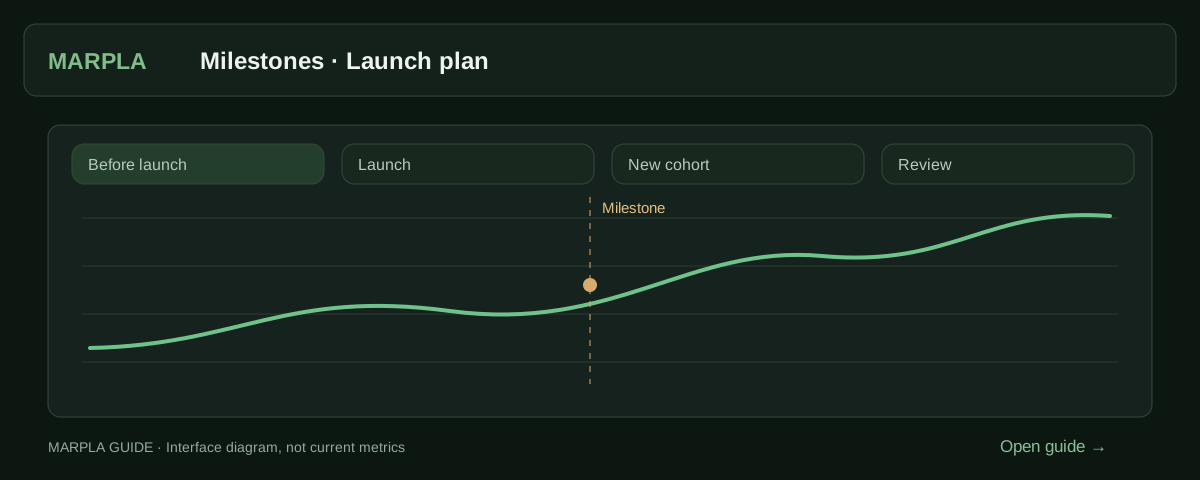
Mark a launch or update as a milestone, record your hypothesis and compare acquisition before and after. Check traffic sources so an advertising effect is not mistaken for an update effect.
- Add a milestone and track its resultA milestone marks a game change: an update, advertising, a new price or artwork.Step-by-step guide →
- Understand your audienceLearn how players find your game, where they live and which devices they use.Step-by-step guide →
Where this deep dive applies
Continue exploring
More on this topic →
Launching a Roblox Game in 2026: A Growth Plan to 100 CCU and Beyond
How to prepare and launch a Roblox game: soft launch, Home, an advertising test, creators, retention, and stop rules. A 14-day plan and checklist.
Read article
Roblox launch operations: access, roles, stop conditions, rollback
A practical runbook for a release or major update without chaotic publishing.
Read article
Roblox launch cohorts: measure an update without mixing sources
Comparable windows, sources, D1/D7 maturity, and a release postmortem.
Read article
Discussion0
Loading comments…