
Data & methodology
Public Roblox data vs owner analytics
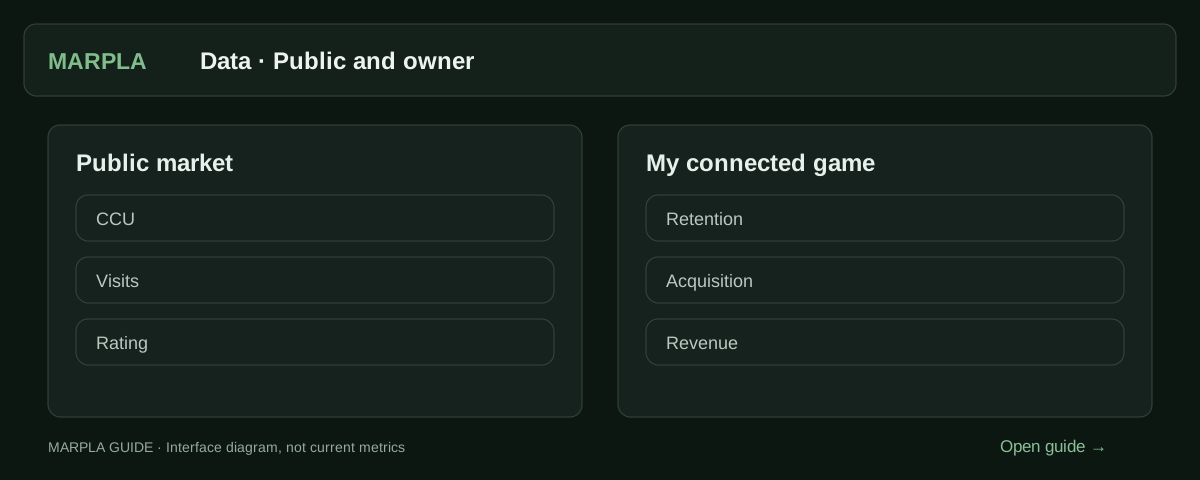
Roblox game analysis has two evidence layers. Public data is useful for market discovery: it shows what Roblox exposes about a game and what an independent observer can record over time. Owner analytics describes unique users, cohorts, acquisition, play behavior, and business outcomes. Mixing the layers creates confident but false conclusions. The correct approach is to use public evidence to form questions, then use authorized owner data to answer the questions that involve players, sources, retention, or money.
Full guide
What public observation can support
Roblox’s Analytics Home documentation lists title, owner, CCU, updated date, and like ratio as public watchlist statistics when the viewer lacks analytics permission. MARPLA also records publicly returned Visits, favorites, and vote counters and builds history from its own timestamped snapshots. From that history it can describe observed CCU means, peaks, growth between equal windows, Visits deltas, and public counter ratios.
These are market signals. They can answer whether activity was present, whether the observed baseline moved, and how a game compares with carefully chosen public peers. They cannot identify unique daily users, acquisition sources, cohort return behavior, actual session time, revenue, payer behavior, costs, or profit. A calculated session estimate or CCU-to-Visits ratio must remain labeled as an estimate or normalization, never renamed as a private KPI.
| Public or derived | Owner-only | Why the boundary matters |
|---|---|---|
| CCU snapshot and observed history | DAU and new users | Concurrent activity is not unique audience |
| Cumulative Visits and deltas | Acquisition by source | Entries do not reveal where users came from |
| Rating, vote count, favorites | Retention and session time | Public actions do not show cohort behavior |
| Reported update time | Revenue, payers, ARPPU | Activity and commercial performance differ |
What authorized analytics adds
Creator Analytics provides permitted owners and group members with DAU, new users, session time, retention, acquisition, demographics, feedback, monetization, and other KPI views. Retention is cohort-based: D1, D7, and D30 mature after their respective delays. Acquisition separates sources and reports conversion and downstream quality, while monetization includes revenue, paying users, conversion, ARPPU, and ARPDAU.
Access is also a data-governance boundary. Group games require sufficient analytics permissions, and some metrics are sensitive. A connection should request only the scopes required for the selected functionality, explain the target Universe, and avoid exposing credentials or copying private results into a public profile. Permission grants access to data; it does not prove ownership, accuracy of every business claim, or authorization to publish that data.
Move from public question to private answer
Begin with a public observation such as “mean CCU increased after 3 September.” Convert it into questions: did unique DAU rise, which source supplied the users, did new-user first-session retention change, did D1/D7 hold, and did revenue move without damaging payer conversion or player satisfaction? Ask the owner to open those charts for the same dates and segments.
Align definitions and time zones before reconciling numbers. Public snapshots may be more frequent but less complete; Creator Analytics aggregates metrics according to Roblox definitions and some data matures later. Keep source, interval, breakdown, and observation time beside each number. When the two layers disagree, investigate timing, scope, missing coverage, or definitions rather than choosing the more favorable figure.
- Write the public fact with source, time, and coverage.
- List the owner KPI needed to answer the decision question.
- Obtain explicit authorized access or a date-filtered owner export.
- Match periods, time zones, population, and metric definitions.
- Keep private values inside the authorized workspace and audience.
- Publish only the conclusion and fields the owner has approved for disclosure.
Claims to reject
Reject “high CCU means high revenue,” “Visits equals users,” “public history reveals D1 retention,” and “an API key proves the seller owns the game.” None follows from the evidence. Also reject a blank field as zero: unavailable owner data, an immature retention cohort, and a failed public collection are three different states.
Illustrative example: public CCU doubles while Visits accelerate. That supports increased observed activity and entry volume. Owner data may later show that most users came from a campaign and had lower D7 retention, or it may show strong Home traffic and healthy cohorts. Both stories fit the public surface. The owner layer decides between them; until then, keep both as possibilities.
When reach and audience composition change
Check source and cohort maturity before attributing lower averages to a worse game. The Home recommendations guide explains candidate selection, audience expansion, new countries and the corresponding MARPLA workflow.
Primary sources
Put this into practice in MARPLA
Check each metric’s provenance. Connect your game with the required permissions to analyze retention and other private metrics; public CCU does not replace them.
- Start analyzing a gamePublic analysis helps you explore a game's audience, activity and rating.Step-by-step guide →
- Connect your gameConnecting a game opens its analytics and management tools.Step-by-step guide →
Continue exploring
More on this topic →
CCU, Visits, and growth: what the numbers actually say
Understand Roblox audience metrics without confusing a live snapshot, a lifetime counter, and a measured trend.
Read article
How to analyze a Roblox game before investing time or money
A repeatable due-diligence workflow that separates public evidence, owner-only analytics, hypotheses, and unanswered questions.
Read article
How to evaluate a Roblox update without claiming false causality
Plan the measurement, align cohorts and windows, inspect confounders, and reserve causal language for controlled experiments.
Read article
Discussion0
Loading comments…