
Launch & promotion
Roblox thumbnails: screenshots, staged scenes and practical testing
Which images help someone understand a game and want to try it? This guide separates the Experience Detail Page gallery from Home thumbnails, with a creative brief, frame sequence and testing workflow grounded in Roblox documentation and developer experience.
Full guide
First identify the surface: gallery, Home or ads
The Experience Detail Page tab inside Thumbnails controls the game-page gallery. Home Page configures thumbnails for Home separately. Advertising images belong to an Ads Manager campaign. You can adapt one concept to different surfaces, but success on one does not establish success on another.
A useful production model: the thumbnail creates interest, the gallery explains the offer, and the opening minutes deliver the promise. Before commissioning artwork, identify the loss: almost no impressions, impressions without plays, or players joining and leaving immediately. Otherwise you may spend weeks improving artwork when loading is the actual problem.
| Surface | Prepare | Evaluate separately |
|---|---|---|
| Home Page | Several distinct, truthful visual promises | Impressions and entry into the game in the matching Home analytics |
| Experience Detail Page | A sequence showing action, proof and progression | Page comprehension and available conversion data for that surface |
| Advertising | Independent creatives under comparable test conditions | Spend, plays and the quality of acquired players |
Screenshot or staged scene? Choose for the job
Our practical recommendation: begin with an image that communicates the player action and its payoff without a caption. A clean gameplay screenshot provides evidence of the real interface, object scale and activity. A staged render helps when the normal camera explains the action poorly. Improve composition without inventing a mechanic.
For a digging simulator, consider three truthful concepts: breaking an obstacle; seeing an attainable next tool upgrade; or participating in a real cooperative activity. Use the last only if the game actually supports it. Do not portray a rare item as an immediate reward when a newcomer cannot get it that way.
Roblox connects accurate, original metadata with discoverability. An image promising a different game is therefore an audience-matching risk, not merely an artistic choice.
| Approach | Useful when | Improve a weak version |
|---|---|---|
| Gameplay screenshot | You need proof of the actual experience | Remove accidental windows; choose a readable angle and one focal object |
| Staged scene | You need to explain an action or emotion quickly | Keep real mechanics and items; include supporting gameplay in the gallery |
| Conceptual illustration | You need to express a specific player fantasy | Check that the promised experience actually exists |
| Several similar bright images | You are refining an already understood concept | For initial exploration, vary motivations rather than just backgrounds |
Build the gallery as a short game pitch
This is an editorial sequence, not a Roblox requirement for image count. Each image should answer a different question. When two frames communicate the same thing, keep the clearer one. You do not have to fill every available slot.
Show the gallery at ordinary phone size to someone unfamiliar with the game. Ask: What do I do? What do I get? What would I try? Do not supply the answers. If they notice only a rare pet without understanding the core action, rebuild the opening frame. This is a qualitative comprehension check, not a conversion measurement.
- Opening frame: one core action and an appealing outcome.
- Second: actual gameplay that substantiates the opening promise.
- Third: understandable progression toward another goal, area or capability.
- Fourth: a different real reason to play, such as exploration or interaction.
- Remaining frames: new useful information only; replace obsolete material after updates.
Prepare and upload the files
Choose the appropriate Thumbnails tab. Prepare JPEG or PNG at 16:9, 1,920 × 1,080; keep Home files below 3 MB. The gallery holds up to ten images and videos; Home personalization uses two to five active images. Allow for moderation and save changes. Gallery alt text supports accessibility. Videos have a separate dashboard entry.
Our recommendation: give every file a recognizable internal name, such as dig-action-v1, and retain the source. Do not treat alt text as a guaranteed search-ranking trick.
How to evaluate the gallery itself
The gallery has a different job, so our first test is page comprehension. Save the existing sequence and show it to a few unfamiliar people, then show the proposed version to a separate small group. Ask the same questions about activity, progression and expectations. Record mistaken expectations in their own words. This helps identify unclear frames; it does not measure an exact increase in plays.
After changing the gallery, log the date and examine available page and acquisition metrics over comparable periods. Changing advertising, title or onboarding simultaneously prevents you from separating gallery effects. Before-and-after comparisons remain observational: seasonality and audience composition may explain a difference. When the required metric is unavailable, do not substitute an advertising campaign CTR.
Brief the artist with a hypothesis before aesthetics
Complete a small creative brief before production. It saves more time than asking for something brighter. Preserve the connection between every variant, its file and its upload date so you can identify what produced the observed result.
Example hypothesis: players who enjoy destruction will understand an impact with flying fragments better than an isolated tool. This is a proposition to test, not a growth promise. Explore different reasons to play first; investigate subtle color changes after finding a clear concept.
| Brief field | Example |
|---|---|
| Surface | Home Page, with a separate gallery adaptation |
| Motivation | Breaking obstacles and seeing the result of effort |
| Main action | A tool striking a genuine game object |
| In-game evidence | The player encounters this action in accessible gameplay |
| Difference from control | Action instead of a static object; otherwise similar presentation |
| Promises to avoid | An instant rare item or a nonexistent mode |
| Possible decision | Continue, revise the promise, or record insufficient evidence |
Test Home without constantly disrupting the test
Roblox describes personalization as adaptive thumbnail allocation. It is not a conventional experiment with a fixed random 50/50 split. Variants can receive different audiences and impression volumes, so comparing their percentages alone does not establish a causal effect.
Roblox staff recommend retaining several variants, representing different motivations and avoiding restarts within seven days. Seven days is practical platform guidance, not a guarantee of sufficient sample size. With little traffic, insufficient evidence is a legitimate result.
In the personalization launch announcement, developers Life_blox, ScriptOn and asimo3089 shared early-testing experiences. A useful lesson from these accounts is reducing the risk of manually replacing a sole thumbnail by retaining alternatives. These are participant experiences, not independent evidence that every game will achieve comparable gains.
- Save the current files, metrics and date as your baseline.
- Choose several distinct hypotheses and activate the set.
- Avoid changing images, title, advertising and onboarding together every day.
- Log updates, weekends, source changes and other interventions.
- After an observation window, assess data volume, allocation and quality of entry together.
PTR and qPTR: recheck older advice
In June 2026 Roblox announced recommendation changes involving PTR, early exits and longer behavioral windows. In July a Roblox employee confirmed that the thumbnail panel and other analytics could still use different PTR/qPTR definitions. Record the actual metric name and tooltip alongside each result.
Do not combine clicks, plays and users into one measure. A percentage in advertising is not comparable to a Home percentage merely because the numbers look similar. Check numerator, denominator, source, period and reporting delay first. If the interface definition differs from an older article, use and record the current interface definition.
Separate three decisions: whether the promise attracts people, whether gameplay delivers it, and whether those people return. A high entry rate alongside a poor opening experience can mean that strong artwork attracted the wrong audience.
Read a result without fooling yourself
Illustrative numbers, not a real game result: A receives 10,000 impressions and 400 plays; B receives 10,000 and 450. If those are the quantities defining your PTR, the rates are 4% and 4.5%: a 0.5 percentage-point difference, or a 12.5% relative increase. That alone does not establish that B is better for the business.
Equal impression counts in adaptive personalization do not imply equal audiences. Inspect early exits and later behavior wherever suitable breakdowns are available. If quality cannot be broken down by image, record that limitation explicitly: overall game changes cannot honestly be attributed to one thumbnail.
Do not stop on the first favorable hour. Causal conclusions need a properly organized experiment and uncertainty assessment, not merely an attractive percentage. In daily operations, retain a promising variant, collect more comparable evidence and avoid calling it a proven winner.
Turn observations into the next action
| Observation | Next check | Action |
|---|---|---|
| Almost no impressions | Availability, moderation, source and observation volume | Resolve the constraint before blindly commissioning ten more images |
| Impressions but few plays | Does the small image explain the activity and distinction? | Try a different concept or clearer composition |
| Plays but many early exits | Loading, device and agreement between promise and opening | Fix onboarding or make the visual promise more accurate |
| Entry rate falls as reach grows | Did audience or source composition change? | Do not treat a percentage decline alone as failure |
| Attractive gallery but confused viewers | What unfamiliar players understood | Reorder frames and add a genuine gameplay proof image |
A practical working-week plan
This is our preparation and observation workflow, not a promise to finish a statistically decisive test in one week. Do not raise advertising spend simply to produce a prettier thumbnail report.
- Day 1: record the baseline and choose one funnel problem.
- Day 2: brief distinct Home motivations and a gallery sequence.
- Day 3: check comprehension with newcomers, phone-size readability and in-game accuracy.
- Day 4: upload and save the approved set; start observation when it is actually available.
- Days 5–7: monitor errors and the change log without reacting to every fluctuation.
- After the full observation window: record evidence, limitations and one next action. Extend observation when traffic is insufficient.
Frequently asked questions
Should I keep only the most clickable image? That removes the alternative set used by Home personalization. Keep distinct supported motivations rather than assuming one universal winner.
Does every image need text? No. First check whether the action reads without it. If wording is necessary, it should remain understandable at small size and avoid extra promises.
Does an excellent render guarantee recommendation growth? No. It shapes expectations; player behavior reveals whether the game meets them.
Can I test the gallery exactly like Home? Not automatically: they are different surfaces. Do not transfer personalization conclusions to gallery ordering without a separate check.
When reach and audience composition change
Check source and cohort maturity before attributing lower averages to a worse game. The Home recommendations guide explains candidate selection, audience expansion, new countries and the corresponding MARPLA workflow.
Primary sources
Put this into practice in MARPLA
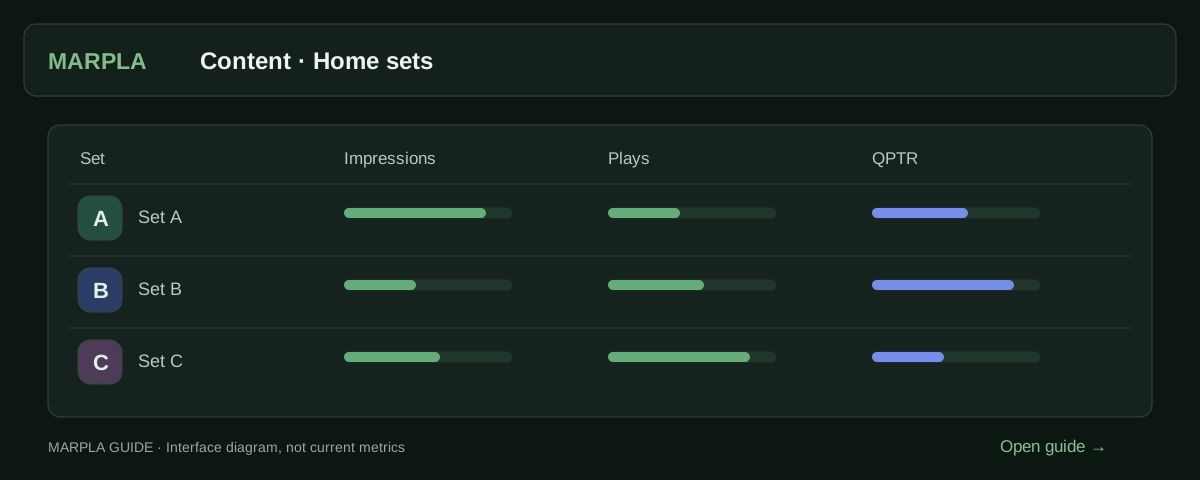
Prepare thumbnail variants, open the creative set and compare impressions, qualified plays and available signals. Use this evidence to identify artwork that attracts suitable players and choose your next test.
- Creative library and schedulesSelect up to five images and launch them as one Home set.Step-by-step guide →
- Compare Home creatives and setsDistinguish set changes from statistics days.Step-by-step guide →
Continue exploring
More on this topic →
Roblox ad creatives: a testing plan and results review
Test Roblox ad creatives with a hypothesis card, change log, and comparisons of CTR, plays, and spend. Includes a worked example and downloadable template.
Read article
How to improve a Roblox game's first session and retention
Move from observed playtests and an onboarding funnel to mature D1/D7 cohorts and testable changes.
Read article
Launching a Roblox Game in 2026: A Growth Plan to 100 CCU and Beyond
How to prepare and launch a Roblox game: soft launch, Home, an advertising test, creators, retention, and stop rules. A 14-day plan and checklist.
Read article
Discussion0
Loading comments…