Сравнить креативы и наборы Home
Разделяйте даты смены набора и дни его статистики.
Как пользоваться
- Под общей таблицей «Динамика наборов» сравнивает все известные наборы по выбранным датам: у каждого свой цвет. Выбирайте показатель, готовый период, шаг день/неделя/месяц, вид, линии и вехи. Точные даты задаются над таблицей. «ИИ советы» находятся справа от заголовка графика и относятся к выбранному показателю. Соединённый график показывает один общий итог на дату. Цвет — набор с наибольшим числом показов, подсказка — итог и вклад каждого. В день замены счётчики складываются, отношения пересчитываются; розовый пунктир отмечает пропуски. Поиск и страницы таблицы не скрывают линии.
- В «Наборы и смены» каждый сохранённый состав показан отдельно. В таблице показана дата создания Roblox; в шапке набора — создание и завершение с временем UTC. Неизвестная дата — прочерк. Прежний креатив без полной истории отмечен отдельно; точное время не выдумывается.
- Откройте набор: суммы и отдельные линии креативов относятся только к нему. Escape или нажатие вне карточки возвращают к тому же месту списка, сохраняя страницу, поиск, фильтр статуса и сортировку. Дни статистики указаны под цифрами. Выбирайте период, показатель и нужные линии; сортируйте нажатием заголовка столбца.
- Поздние отчёты и неоднозначные сутки повторно использованных картинок доступны во «Всех данных Roblox». Они не продлевают дату работы набора. Откройте веху, чтобы увидеть миниатюры «Было → Стало».
Файлы и ссылки
Показатели Home-превью RobloxМетрики RobloxСоветы и практика
Сравнивайте равные периоды
У креатива могут быть несколько интервалов показа, а смена внутри суток не делит дневную статистику. Поэтому сравнивайте варианты на совпадающих полных периодах и учитывайте объём показов. QPTR является отношением запусков к показам, а средняя сессия взвешивается по запускам.
Победитель и неопределённость
Условный вариант с более высоким QPTR на малом числе показов может проиграть после расширения аудитории. Проверяйте 7D-сигналы и сегменты отдельно для креатива и набора. Ошибка — считать пропуск выключением или связывать дневной итог целиком с картинкой, включённой посреди дня.
Победивший сегмент не означает общего победителя: креатив может лучше работать для одной аудитории и хуже для другой. Сначала определите целевой сегмент, затем проверьте общий объём и защитные показатели. Не объединяйте набор и отдельную картинку как один объект анализа.
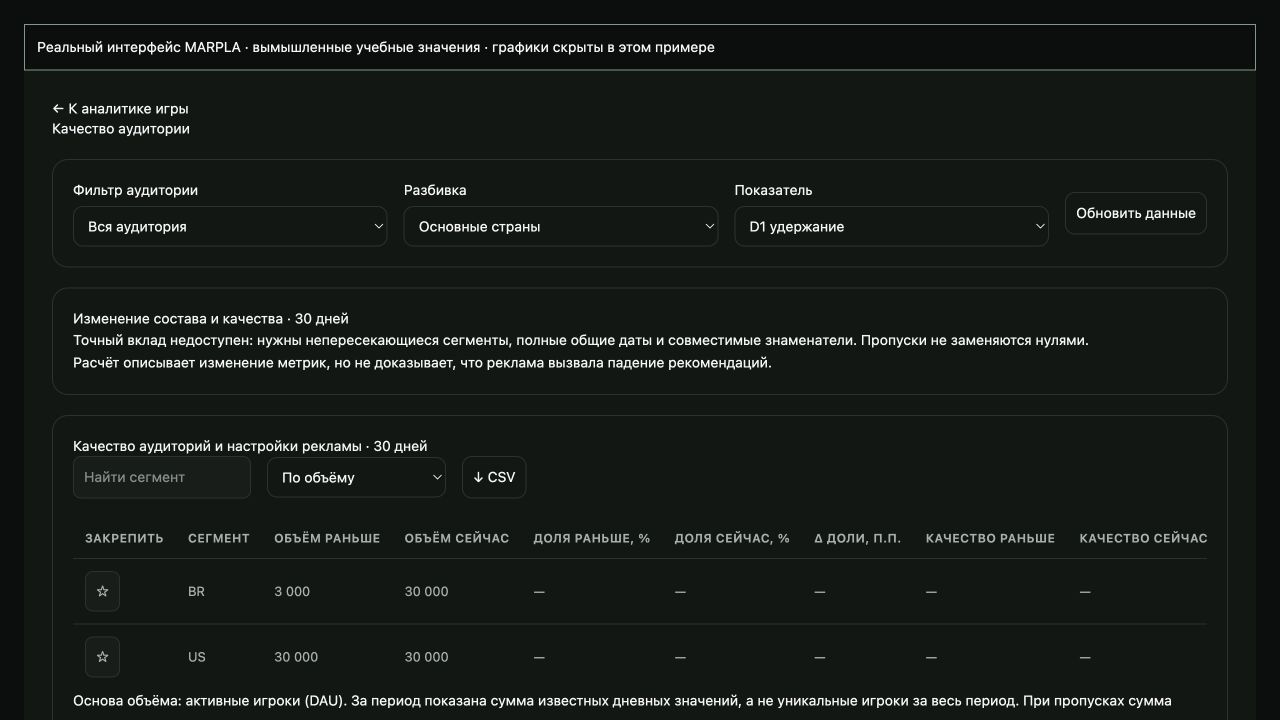
Новая страна и средние показатели
При расширении Home отделяйте состав аудитории от качества внутри сегмента. Проверьте источник, одинаковую зрелость когорт, страну и доступный разрез устройства. D1 не рассчитывается взвешиванием через DAU. Новый органический RFY-трафик участвует в Home-сигналах; нельзя считать любое падение безвредным. Разберите перевод, загрузку и первый шаг; свяжите даты с историей Home и заметками. В блоке «Полезные статьи» есть подробный гайд и примеры.
Технические деталиРасчёты, права и особенности работы
Сравнение креативов и наборов Home
В «Контент → Home» показаны сохранённые составы наборов. В таблице «Дата создания» — дата создания набора в Roblox, без времени. В шапке открытого набора показаны «Создан» и «Завершён» с датой и временем UTC.
Дата создания набора не меняется при замене его картинок. В таблице участников указана дата их набора. Время обнаружения или синхронизации не выдаётся за создание или завершение.
Если точной даты нет, показан прочерк; у активного набора завершения ещё нет. Исправления Roblox даты завершения сохраняются при синхронизации. Для прежних картинок, известных только из статистики, даты набора не выдумываются.
Нажмите название набора: его имя и даты находятся в верхней шапке; ниже — суммы, участники и отдельные линии креативов. Чтобы вернуться из креатива к набору, а затем к списку, нажмите Escape или свободную область вне карточки. Период сохраняется.
При возврате в общий список сохраняются место прокрутки, страница, поиск, фильтр статуса и сортировка. Кнопки периода и метрик, фильтры, поиск и сортировка помогают сравнивать результаты. Под каждой итоговой цифрой указаны дни входящих в неё данных.
Показы и качественные запуски складываются, QPTR — качественные запуски / показы, средняя сессия взвешивается по качественным запускам. Неполные суммы отмечены звёздочкой. Суточный результат повторно использованной картинки нельзя разделить между запусками внутри дня.
Неоднозначные сутки и поздние отчёты после выключения не продлевают набор. 7D QPTR и побеждающие сегменты не складываются. «Сигнал» сравнивает QPTR на общих датах при достаточных данных; это ориентир, а не доказательство победы. «Вехи» показывают сохранённые смены с миниатюрами «Было → Стало».
Просмотр и синхронизация истории не меняют активные картинки Roblox. Под общей таблицей находится «Динамика наборов»: у каждого известного набора свой постоянный цвет и миниатюры. График охватывает все наборы выбранного периода, независимо от поиска, статуса и страницы таблицы; линии выбираются в легенде.
Доступны показы, качественные запуски, средняя сессия и QPTR, готовые периоды, шаг день/неделя/месяц, ломаная, сглаженная линия, столбцы, вехи, подсказки, ИИ советы и обновление. Значок инструкции расположен рядом с общим заголовком «Динамика наборов» или «Динамика результатов», а «ИИ советы» — под ним слева. Название выбранного показателя повторно не выводится; советы относятся к нему и открытому набору или креативу.
Точные даты задаются над таблицей; под графиком они не дублируются. При укрупнении шага сначала складываются исходные счётчики, затем рассчитываются QPTR и взвешенная сессия. Точка недели или месяца стоит на первом дне её доступных данных.
В ломаном и сглаженном виде график всегда общий: на дату приходится один итог всех наборов, включая прежние картинки из истории. Дневные счётчики в день замены складываются; QPTR и средняя сессия пересчитываются по их знаменателям. Цвет точки и участка обозначает набор с наибольшим числом показов в соответствующем дне или укрупнённом интервале; это не точное время переключения.
Подсказка показывает общий итог и вклады наборов с миниатюрами их картинок. Строки без значения на выбранную дату скрыты; нулевые значения показаны. Короткий первый день нового набора не начинает отдельную линию около нуля.
Пропуск данных соединяется розовым пунктиром без добавления значений. В столбцах видны отдельные ряды наборов. В карточке набора по-прежнему видны только отдельные линии его креативов.
Сортировка списка наборов, общего списка креативов и креативов внутри каждого набора независима. После закрытия набора список возвращается к своему порядку; повторное открытие набора сохраняет выбранную внутри него сортировку. Средняя сессия, QPTR, 7D QPTR и Сигнал окрашены относительно лучшего доступного значения в столбце: от 95% — зелёный, от 80% — жёлтый, ниже — красный.
Сортировка и страницы не меняют базу сравнения. Прочерки, единственное значение и одинаковые значения остаются нейтральными. Цвет помогает читать таблицу и не означает статистическую значимость; периоды разных наборов могут различаться.
Сигнал по-прежнему требует общих дат и минимальной выборки для отображения, но этот порог не доказывает победу. ИИ оценивает креативы по трафику и величине различий, без обязательного ожидания семи дней. В новое задание входят до 90 завершённых дней сохранённой истории Home: каждый состав, его участники, общие даты, показы и качественные запуски, а также прежние участия той же подтверждённой картинки.
ИИ должен указать базовую конверсию, полезную величину улучшения, фактическую выборку и следующий порог показов для каждого варианта. Например, при конверсии 1% ориентир на вариант для роста до 1,2% — около 42 693 показов, до 1,5% — 7 750, до 2% — 2 319. Это план для независимых наблюдений, равного распределения, одного заранее выбранного сравнения, уровня ошибки 5% и мощности 80%, а не доказательство значимости текущего набора.
Универсального числа кликов или запусков нет; в Home доступны качественные запуски, но нет кликов по отдельной миниатюре. Персонализация Roblox меняет аудиторию и долю показов: рейтинг и интервалы QPTR служат ориентиром. ИИ должен учитывать выигранные сегменты и противоречащие прошлые тесты, не складывать разные или перекрывающиеся запуски.
Когда большой разрыв и выборка уже поддерживают действие, он предлагает следующий тест сейчас: сильный контроль и новые варианты для подтверждения и поиска улучшений. Можно выделить одного, двух или трёх лидеров по данным, сохраняя близких и полезных отдельным сегментам кандидатов. Один кандидат-контроль не означает рекомендацию оставить лишь одну активную картинку.
Если данных мало, указывается недостающий трафик; дата ожидания оценивается только по известной скорости показов. Средняя сессия без разброса наблюдений не доказывает качество всей аудитории. Короткий срок повторной проверки креативов в новых заданиях не меняет правила проверки цен и старые скачанные задания.
Чтобы отключить один креатив, откройте его подробную карточку и нажмите «Отключить» рядом с обновлением. Подтвердите название изображения. Roblox получает текущий набор без этого креатива; остальные изображения, история и статистика сохраняются.
Действие доступно владельцу игры. Последний активный креатив нельзя убрать: сначала включите другой. Если состав изменился, обновите данные и повторите подтверждение.
При неподтверждённом результате дождитесь синхронизации; повторная отправка заблокирована. В карточке набора кнопка «Удалить» рядом с обновлением удаляет из MARPLA только выбранный состав и его результаты Home. Исходник и другие сборки с тем же ID Roblox сохраняются.
Перед удалением требуется подтверждение; отмена ничего не меняет. Синхронизация не восстановит удалённую историю. Другие наборы и файлы библиотеки сохраняются.
Сам набор в Roblox не изменяется. Удаление доступно владельцу игры. Название созданного теста отображается у соответствующего набора в истории.
Карандаш рядом с заголовком позволяет владельцу изменить название и сохранить его для этой сборки. Удаление расположено рядом с датами, синхронизация — в рамке справа. Вся история Home читается порциями без ограничения в 2000 снимков или 20000 строк статистики.
Повторные ревизии одного дня, креатива и набора заменяются последними сохранёнными значениями; архив не обрезается. Загрузка отчёта не определяет доступность кнопок владельца. Если картинки импортированы из Roblox, но наборов Home ещё нет, раздел сразу показывает список креативов и пояснение.
Эти картинки доступны для нового теста; наличие картинки не доказывает запуск набора или наличие показов. Статус «В библиотеке» означает отсутствие подтверждённого набора, а прочерк в метриках — отсутствие данных.
Сохранённые миниатюры Home
При повторном открытии в этом браузере сразу восстанавливается последняя таблица с показателями для вашего аккаунта, игры и периода. Затем она обновляется в фоне; временная ошибка не очищает сохранённые строки. Снимок и байты миниатюр хранятся в IndexedDB этого браузера до 7 дней и очищаются при выходе.
Хранилище поддерживает большие отчёты, превышающие лимит localStorage; сохранённые картинки показываются без повторного сетевого запроса. Первое открытие без снимка требует загрузки. Картинки наборов, креативов и вех Home сохраняются в защищённом хранилище MARPLA.
При повторном открытии сервис показывает сохранённые миниатюры, не ожидая Roblox. Проверка обновлений выполняется в фоне, не чаще одного раза в 30 минут для уже сохранённой картинки; новое изображение заменяет старое после загрузки. Новые Asset ID загружаются отдельно.
При временной ошибке Roblox сохранённая картинка остаётся. Для ещё не полученных изображений остаётся заглушка: первая загрузка требует доступного изображения у Roblox. Доступ к сохранённым картинкам проверяется по игре и правам на аналитику.
Полезные статьи: примеры и решения
В инструкции — шаги в сервисе. В статьях — смысл показателей, примеры, приёмы и проверка результата.
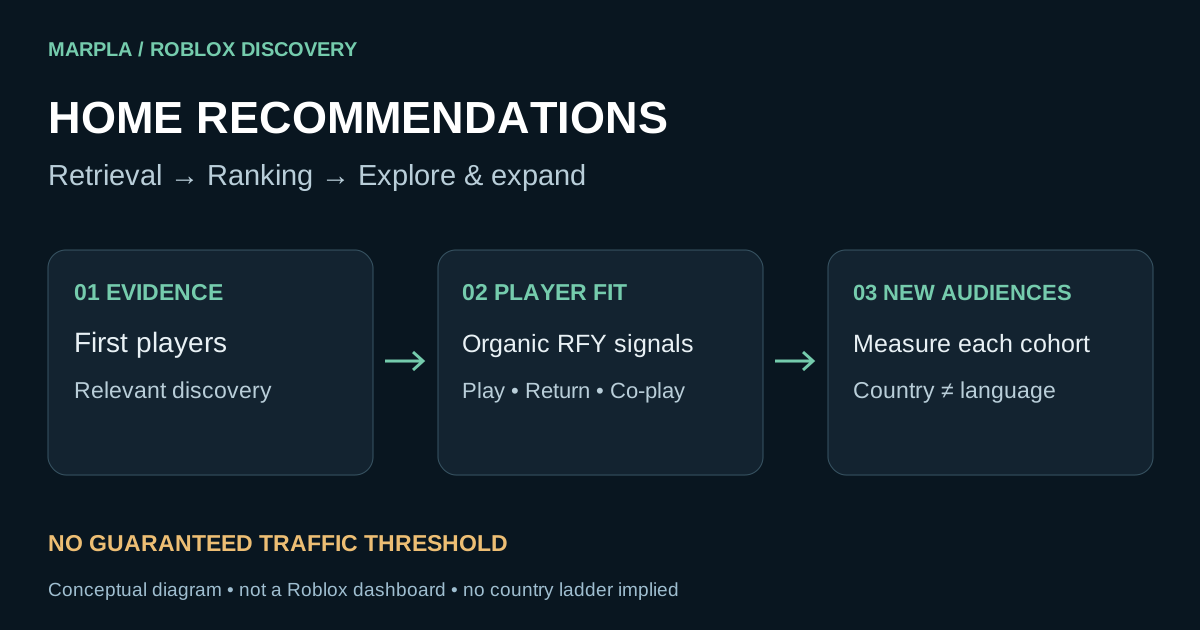
Рекомендации Home в Roblox: как попасть и удержать рост
Как Roblox тестирует игры в Home, расширяет аудиторию и оценивает сигналы. Разбор стран, падения метрик и пошаговая работа с аналитикой MARPLA.
Читать статью →
Обложки Roblox: скриншоты или сцены, галерея и тестирование
Какие изображения загружать в Roblox Thumbnails: скриншоты и рендеры, Home Page и галерея, PTR/qPTR, бриф художнику и план тестирования.
Читать статью →Короткие действия и отдельные понятия (9)
 Рекомендации Home в Roblox: план действий
 Обложки Roblox: короткий рабочий план
 PTR и ранний уход в Roblox Home: как найти слабое звено
 Страны и когорты Roblox: как объяснять смену аудитории
 Локализация и производительность Roblox: проверка причин раннего ухода
 Платный и органический трафик Roblox: как не перепутать эффект
 Бриф и галерея Roblox: от обещания к последовательности
 Персонализация обложек Roblox Home: как читать адаптивный тест
 Когорты запуска Roblox: как измерить обновление без смешивания источников